Visitor Arrival Text Notifications - How Employees Opt In
Carolina Canners, Inc. offers its employees a text message when a visitor,
contractor, delivery driver or auditor checks in at a company lobby and names
that employee as the person they are visiting. This page shows how an employee
joins the program.
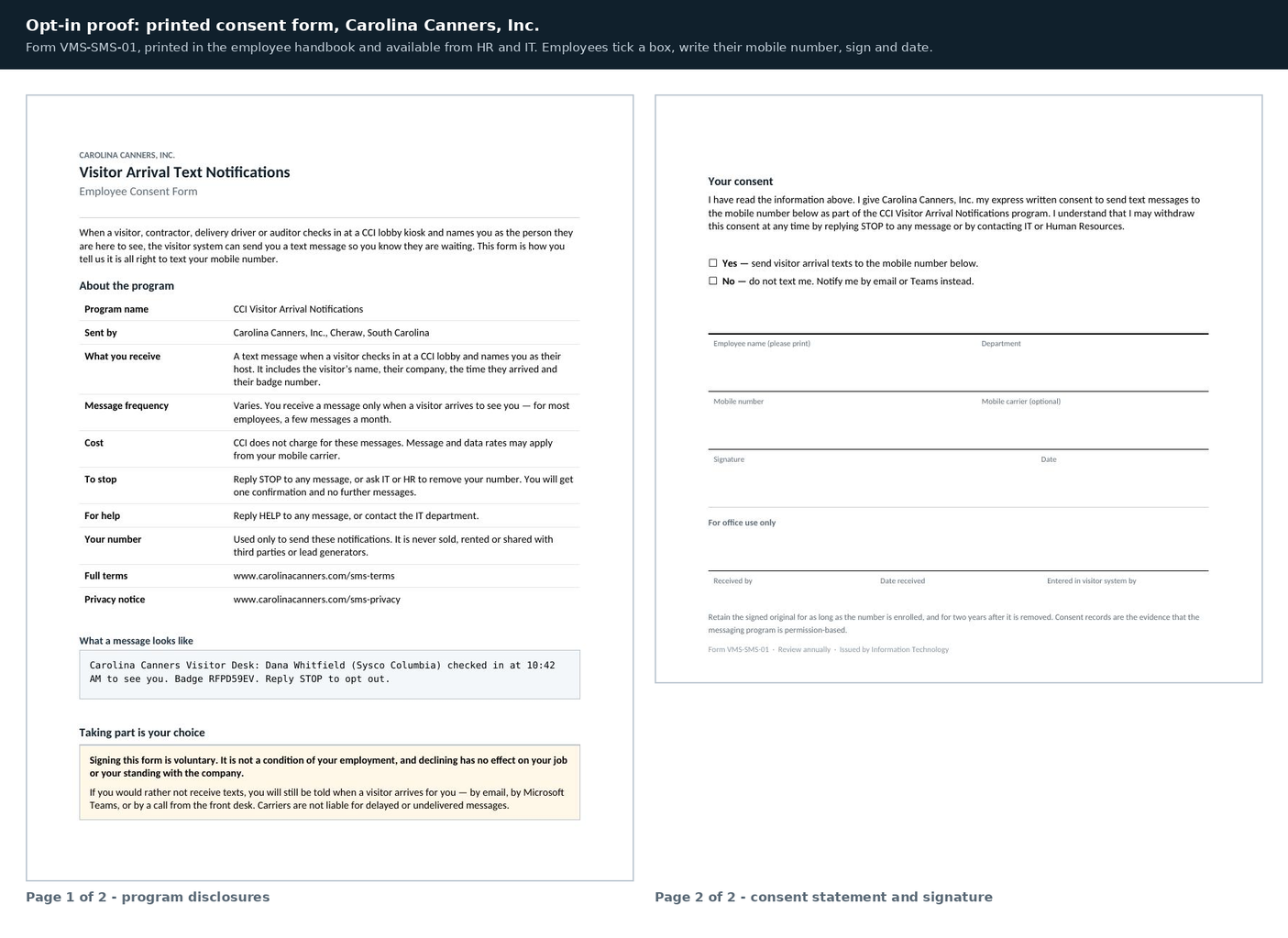
How to opt in. Employees sign a printed consent form (Form VMS-SMS-01). The
form is in the Carolina Canners employee handbook and is available from Human
Resources and the IT department. It is reproduced below. The employee ticks a
box, writes their mobile number, and signs and dates the form. Only a number
from a signed form is entered into the visitor system.
Who it is for. Carolina Canners employees only. Signing is voluntary and is
not a condition of employment. Employees who decline are notified of visitor
arrivals by email or Microsoft Teams instead.
Program name: CCI Visitor Arrival Notifications. Message frequency varies - an
employee receives a message only when a visitor arrives to see them. Message
and data rates may apply. Reply STOP to any message to cancel, or HELP for
help. Mobile information is never sold, rented or shared with third parties or
lead generators.
Example message: Carolina Canners Visitor Desk: Dana Whitfield (Sysco
Columbia) checked in at 10:42 AM to see you. Badge RFPD59EV. Reply STOP to
opt out.
Terms: www.carolinacanners.com/sms-terms
Privacy notice: www.carolinacanners.com/sms-privacy